How to Set Up a Local Coding Agent (and Cut Your AI Coding Costs)
How to Set Up a Local Coding Agent (and Cut Your AI Coding Costs)
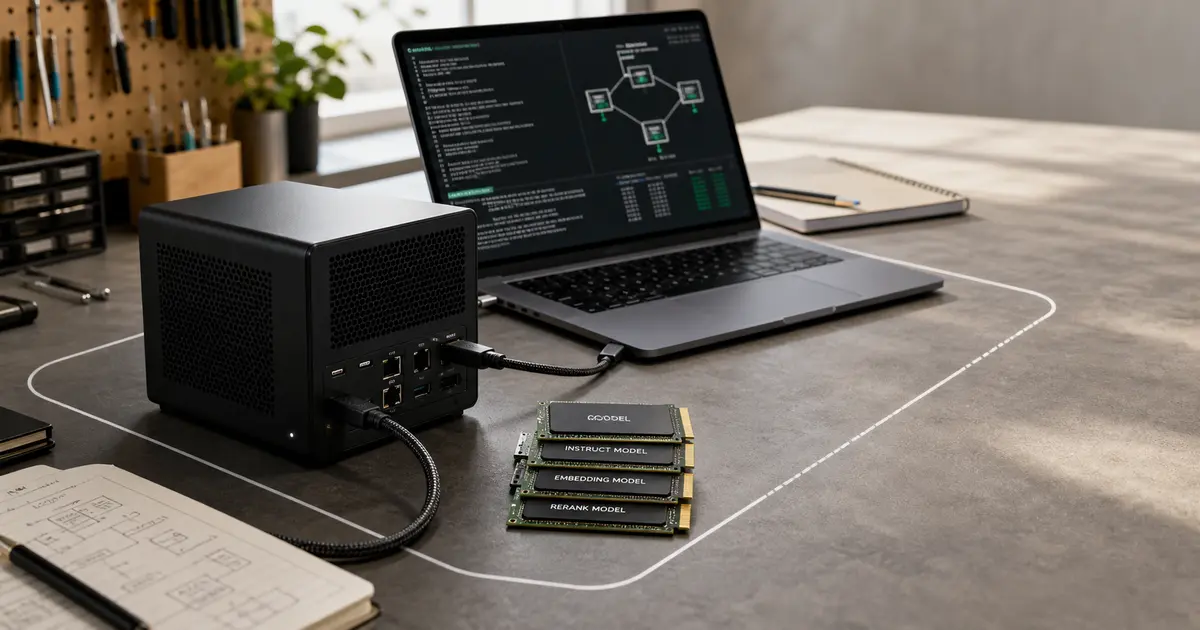
A local coding agent setup runs the model on your own hardware instead of calling a cloud API for every keystroke — and in mid-2026 a lot of developers are seriously trying it. The interest is easy to see in the open: a June 15, 2026 "Ask HN: Has anyone replaced Claude/GPT with a local model for daily coding?" thread drew 1,247 points and hundreds of comments (Hacker News, external), alongside fresh hands-on writeups on doing it cheaply. This guide is the practical version: what hardware you need, which model to start with, how to wire it into your editor, and an honest accounting of where local still loses to the cloud.
The motivation has two halves. One is cost — running coding agents against metered APIs adds up fast, a pain point developers are writing about directly (AI coding at home without going broke, external). The other is control: after the recent episode where a frontier model was pulled on short notice, "own your stack" stopped being a hobbyist slogan. If you want that context, see our explainer on the Claude Fable 5 shutdown.
Why run a coding agent locally in 2026?
Three reasons keep coming up, and they map cleanly onto the freshest signals:
- Cost. A local model has a fixed hardware cost and effectively zero marginal cost per token, versus per-call cloud billing that scales with how heavily you use the agent (AI coding at home without going broke, external).
- Control and continuity. You decide when the model changes. A model you run cannot be silently altered or suddenly suspended out from under your workflow.
- Privacy. Code never leaves your machine, which matters for proprietary or regulated work.
The honest counterweight: local models still trail the best cloud models on the hardest tasks, and you take on the operational burden yourself. We'll quantify that tradeoff below rather than pretend it away.
What hardware do you need for a local coding agent?
The single biggest constraint is memory — you need enough RAM or VRAM to hold the model plus its context. As a practical rule of thumb:
- Apple Silicon Macs are a popular starting point because unified memory is shared between CPU and GPU; community how-to guides specifically target macOS for this reason (How to set up a local coding agent on macOS, external).
- A discrete GPU with ample VRAM is the other common path on Linux/Windows; more VRAM lets you run larger models or longer context at usable speed.
- More memory beats raw speed for this workload — if a model doesn't fit, no amount of compute saves you.
Rather than chase exact spec numbers (they shift with every model release), pick a model first, then check its published memory footprint and quantization options against the machine you have. Quantized builds trade a little quality for a much smaller footprint and are usually the right call for local coding.
Which local model should you start with?
A strong current option for coding specifically is Kimi K2.7-Code, an open-source coding model released June 12, 2026 and highlighted for better token efficiency (Hugging Face, external). Token efficiency matters more than it sounds for local setups: fewer tokens per useful answer means faster responses and more headroom in your context window on fixed hardware.
When choosing among local coding models, weigh:
- Coding specialization — models tuned for code generally outperform general-purpose models of similar size on programming tasks.
- Token efficiency — directly affects latency and how much you can fit on your hardware.
- License — confirm the model's license permits your intended use, especially commercial work.
- Quantization availability — readily available quantized builds make a model far easier to fit locally.
Start with one well-supported coding model, get the full loop working, and only then experiment with alternatives.
How do you wire a local model into your editor?
The general shape of a working local coding agent has three layers:
- A model runner that loads the model and exposes it locally (typically via a localhost API endpoint).
- The model weights — ideally a quantized build sized to your hardware.
- An editor or agent client that points at your local endpoint instead of a cloud provider.
The reproducible, step-by-step specifics differ by OS and toolchain; the macOS walkthrough above is a good concrete reference for that platform (How to set up a local coding agent on macOS, external). Whichever stack you pick, the pattern is the same: run the model, expose an endpoint, repoint your client. Once the loop works end to end, tune context length and quantization for the latency you can live with.
Local vs cloud: what's the real cost and quality tradeoff?
Here's the honest accounting, kept directional rather than quoting numbers we can't verify:
| Factor | Local coding agent | Cloud coding agent |
|---|---|---|
| Cost model | Fixed hardware cost, ~zero per-token | Per-call billing that scales with usage |
| Peak capability | Trails the best cloud models on hard tasks | Strongest on the hardest tasks |
| Control / continuity | You control updates; can't be pulled on you | Vendor controls changes and availability |
| Privacy | Code stays on your machine | Code sent to the provider |
| Operational burden | You run and maintain it | Managed for you |
The cost case for going local is real and is exactly what developers are writing about (AI coding at home without going broke, external), and the open interest in replacing cloud models for daily coding is well documented (Ask HN thread, external). But "replaced cloud entirely" is not the only good outcome.
Where does a local coding agent still fall short?
Set expectations honestly:
- Hardest tasks. Large, ambiguous, cross-file reasoning is where top cloud models still pull ahead. A pragmatic split is local for the high-volume routine work, cloud for the occasional hard problem.
- You're the ops team. Updates, breakage, and tuning are on you.
- Capability moves fast. Today's best local choice may be eclipsed in weeks — build your setup so swapping the model is easy.
Key takeaways
- A local coding agent setup trades per-token cloud billing for fixed hardware cost, plus control and privacy — the motivation behind a 1,247-point Ask HN thread in June 2026 (Hacker News, external).
- Start with a coding-specialized, token-efficient open model such as Kimi K2.7-Code (Hugging Face, external), size a quantized build to your hardware, and wire it into your editor via a local endpoint.
- Local still trails the best cloud models on the hardest tasks, so a hybrid split — local for routine work, cloud for hard problems — is often the most pragmatic outcome.
If part of your reason for going local is reducing dependence on any one provider, read the companion explainer on the Claude Fable 5 shutdown for why that risk is suddenly concrete. And if you want help deciding which models to trust — local or cloud — Clawvard is built for exactly that evaluation work. Follow us for more practical AI-engineering guides.
Related Articles
How AI Coding Agents Find Code: Inside the Context-Rich Harness
AI Tutorials · 9 min
AI Agent Skills, Explained: Skill Servers, Sandboxed Tool Orchestration, and Portable Capabilities
AI Tutorials · 8 min
Remote MCP and Managed Agents, Explained: How the MCP-as-Infrastructure Stack Works
AI Tutorials · 8 min