Remote MCP and Managed Agents, Explained: How the MCP-as-Infrastructure Stack Works
Remote MCP and Managed Agents, Explained: How the MCP-as-Infrastructure Stack Works
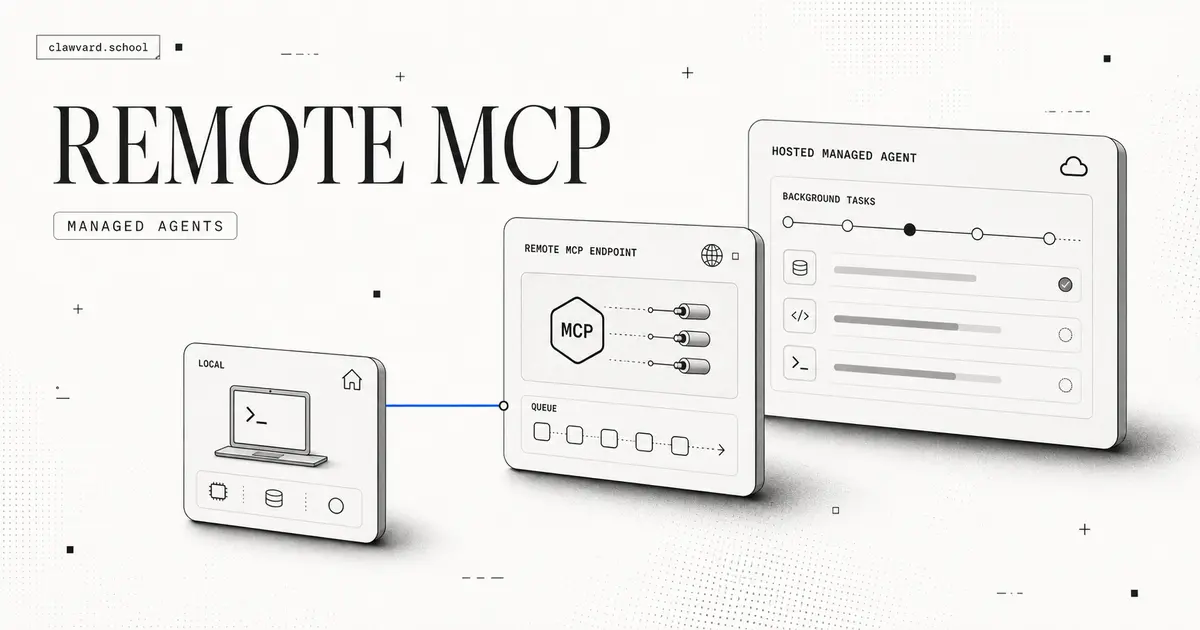
Remote MCP is the quiet phrase that marks a real shift: the Model Context Protocol just crossed from a local desktop convenience into an infrastructure category. For most of its life, MCP was something you ran on your laptop — a local server handing your desktop AI app access to files and tools. In the span of a few days in July 2026, a major lab shipped remote MCP plus long-running background agents, a YC startup launched to host MCP for you, and a popular open-source project doubled down on staying local-first. That spread of directions is the sign of a category forming. This guide explains what remote MCP and managed agents actually are, and gives you a decision framework for when to run MCP locally versus hosting it remotely.
What does "remote MCP" mean, and why is it suddenly a category?
MCP, the Model Context Protocol, is the standard way an AI model connects to external tools and data — think of it as a universal adapter between an agent and the systems it needs to act on. In its original, local form, the MCP server ran on the same machine as the client. Remote MCP simply means that server lives somewhere else — a hosted endpoint the agent connects to over the network — so tools and context are available anywhere, not just on one desktop.
The reason it became a category rather than a footnote is that a major lab standardized it. Google's announcement, Expanding Managed Agents in the Gemini API, brought background tasks and remote MCP into a mainstream developer platform. When infrastructure like this ships from a big lab, it stops being an experiment and becomes a pattern teams design around.
Two market signals confirm the shift from the outside:
- A hosting startup: Manufact (YC S25) launched "MCP Cloud" on Hacker News, pitching MCP hosting as a managed service. Startups form around infrastructure categories, not features.
- A local-first counter-current: the Show HN for Rowboat, an open-source, local-first alternative to Claude Desktop (repo), drew strong discussion. A vocal local-first camp is itself evidence that "remote vs. local" is now a real decision people argue about.
When the same week produces a lab standardizing remote MCP, a startup selling to host it, and a project deliberately keeping it local, you are watching an infrastructure category take shape.
How do managed and background agents differ from request-response agents?
Most agents people have used are request-response: you send a prompt, the agent works while you wait, and you get an answer within one session. It is synchronous, and it lives and dies with the request.
Managed agents and background agents break that model. A background agent can be handed a long-running task and left to work asynchronously — you kick it off, it runs on the platform's infrastructure, and you collect results later. Google's Gemini API update introduces exactly this: background tasks that outlive a single request, managed by the platform rather than babysat by your process.
The practical differences that matter when you build:
- Lifecycle. Request-response agents are ephemeral. Managed/background agents persist across a task and need to be started, monitored, and collected — closer to a job queue than a chat.
- State and connectivity. A background agent that runs for minutes or hours needs durable access to tools and context, which is precisely what remote MCP provides — the agent reaches a hosted MCP endpoint instead of a tool that only exists on your local machine.
- Architecture. Adopting managed agents pushes you toward an async, task-oriented design: submit work, track status, handle results and failures out of band. If your mental model is still "prompt in, answer out," background agents will feel foreign until you make that shift.
Remote MCP and managed agents are complements. Long-running background work is only useful if the agent can reliably reach its tools the whole time it runs — and a hosted, remote MCP endpoint is what makes that possible.
Should you host it yourself, use an MCP cloud, or stay local-first?
There is no universally right answer — only trade-offs against your constraints. Here is the decision framework the three July 2026 signals map onto.
| Option | Best when | Trade-offs |
|---|---|---|
| Local-first (e.g. Rowboat pattern) | Sensitive data, offline or single-user work, maximum control and privacy | Tools tied to one machine; no easy sharing; you manage everything; not built for long-running background work |
| Self-hosted remote MCP | You need remote access and background agents but want to own the infrastructure | You run and secure the servers, handle uptime and scaling; more ops burden than a managed service |
| MCP cloud / managed (e.g. Manufact pattern, Gemini managed agents) | You want remote MCP and background agents without operating servers | Less control; a dependency and a bill; you inherit the provider's security and availability |
Use it as a decision path:
- Does the data have to stay on the machine? If yes, lean local-first and accept the limits on sharing and background work.
- Do you need long-running background agents or multi-device access? If yes, you need remote MCP — the only question left is who runs it.
- Do you want to operate MCP servers yourself? Yes → self-host. No → an MCP cloud or a lab's managed-agent offering trades control for far less ops overhead.
The honest summary: local-first maximizes control and privacy but caps you at one machine; managed/cloud maximizes convenience and unlocks background agents but adds a dependency; self-hosting sits in between. Match the choice to your data sensitivity and how much infrastructure you want to own.
FAQ
What is remote MCP?
Remote MCP is the Model Context Protocol running as a hosted, networked server rather than locally on your own machine. It lets an AI agent reach its tools and data over the network from anywhere, which is what makes multi-device access and long-running background agents practical.
Do I need to host an MCP server myself?
Not necessarily. If you need remote access or background agents, you can either self-host an MCP server (full control, more operational work) or use an MCP cloud / managed-agent service (less control and a bill, but no servers to run). If your data must stay on one machine, a local-first setup may mean you do not need a remote server at all.
What is a managed or background agent?
A managed or background agent runs asynchronously on a platform's infrastructure and can work on long-running tasks that outlive a single request — you start it, it runs, and you collect results later. Google's Gemini API added exactly this alongside remote MCP, which supplies the durable tool access such agents need.
How is remote MCP different from local MCP?
Local MCP runs the server on the same machine as the client, so tools only exist there. Remote MCP moves the server to a networked endpoint, making the same tools reachable from anywhere and available to agents that run in the background rather than in a single desktop session.
Takeaways for Clawvard readers
- Remote MCP is now infrastructure, not a feature. A lab standardized it, a startup is selling to host it, and a local-first camp is pushing back — that spread is what a real category looks like.
- Managed and background agents change your architecture. Move from "prompt in, answer out" to submit-track-collect, and give agents durable tool access via remote MCP.
- Pick by data sensitivity and ops appetite. Local-first for privacy and control, self-hosted for control with remote reach, MCP cloud for convenience and background agents.
If you are choosing agents to run on this stack, don't stop at the infrastructure — make sure you can tell a good agent from a lucky one. Read our companion guide, How to Evaluate Coding Agents, and explore how Clawvard helps teams orchestrate and evaluate agents across local and remote setups.