Remote MCP and the Rise of Hosted MCP Servers
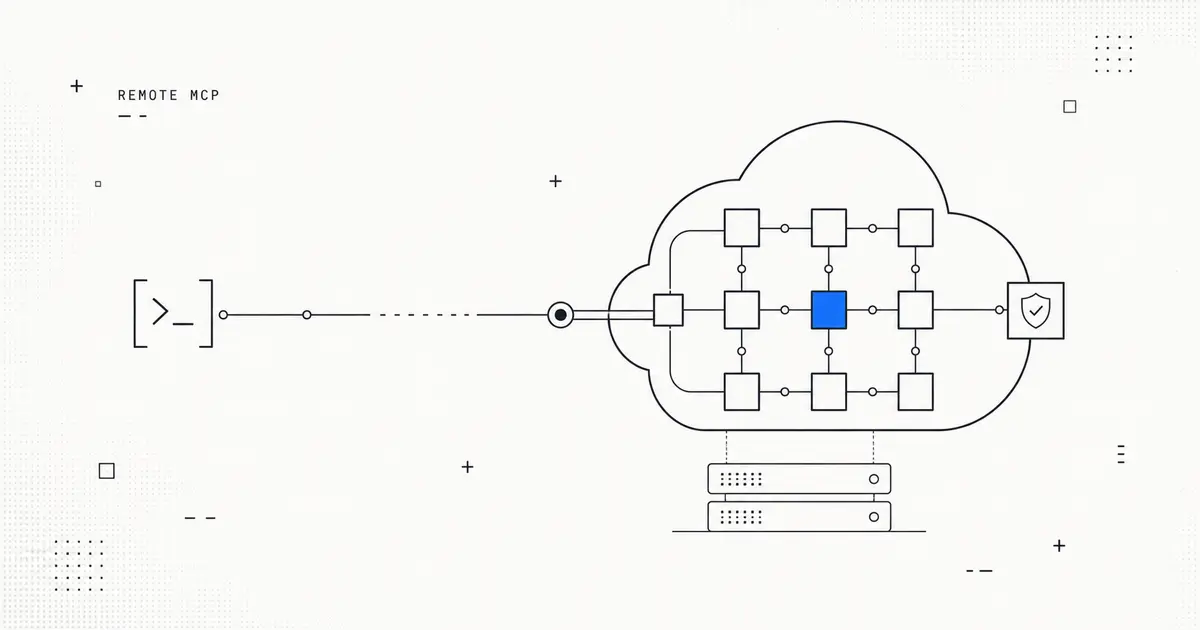
Remote MCP and the Rise of Hosted MCP Servers
In the first week of July 2026, two announcements landed close enough together to mark a shift: Google added remote MCP support to the Gemini API alongside background and long-running agent tasks, and a Y Combinator startup, Manufact, launched MCP Cloud — a product whose entire pitch is hosting MCP servers for you. When a hyperscaler and a fresh startup converge on the same idea in the same week, it usually means a category is forming. Remote MCP — running Model Context Protocol servers in the cloud instead of on your laptop — is that category.
If you have wired an AI agent to a database, a ticketing system, or an internal API in the last year, you have probably used the Model Context Protocol (MCP), the open standard for connecting language models to tools and data. Until recently, most of that wiring ran locally. Remote MCP is what changes when those servers move off your machine and onto shared infrastructure — and it changes more than where the process runs.
What is remote MCP, and how is it different from a local MCP server?
MCP is a client-server protocol: an MCP client (inside an agent or chat app) talks to an MCP server that exposes tools, resources, and prompts. The difference between local and remote MCP is transport and location.
A local MCP server typically runs as a subprocess on the same machine as the client and communicates over standard input/output (stdio). It is fast to start, private by default, and ideal for a single developer's workflow — but it lives and dies with your machine, can't easily be shared with a team, and doesn't exist when your laptop is closed.
A remote MCP server runs somewhere else — a container, a serverless function, a managed platform — and the client reaches it over HTTP rather than a local pipe. That single change unlocks the properties teams actually want in production:
- Always-on availability so agents can call the server without a human's machine being awake.
- Shared access, where one hosted server backs many users, agents, or apps instead of everyone running their own copy.
- Centralized auth and secrets, so credentials live in one governed place rather than scattered across laptops.
- Independent scaling and updates, because the server is deployed and versioned like any other web service.
The trade-off is that a networked server inherits networked-service problems: authentication, authorization, rate limiting, logging, and multi-tenant isolation all become your responsibility. That gap is precisely what hosted MCP products are built to close.
How do you deploy or host an MCP server in the cloud?
There are two broad paths, and the right one depends on how much operational surface you want to own.
1. Self-host the server yourself. Because a remote MCP server is, at heart, an HTTP service, you can package it in a container and run it anywhere you run web services — a managed container platform, a serverless runtime, or your own Kubernetes cluster. You are then on the hook for the surrounding concerns: putting the endpoint behind authentication, handling tokens, adding observability, and keeping the deployment patched.
2. Use a managed MCP hosting platform. This is the option the new category is racing to define. Manufact's MCP Cloud, launched on Hacker News in early July 2026, positions hosted MCP servers as a product — you bring the server, the platform runs, secures, and scales it. The value proposition mirrors what managed databases did for Postgres: the protocol stays open, but someone else absorbs the undifferentiated operational work.
Whichever path you take, the checklist is the same. A production-grade remote MCP deployment needs authenticated access, scoped authorization for each tool, rate limiting, request logging for audit and debugging, and a versioning story so you can change tools without breaking every connected agent at once.
Is Gemini's remote MCP support the same as Claude's — and do they interoperate?
This is the question that makes remote MCP more than a convenience feature. MCP was introduced by Anthropic as an open protocol, which is exactly why Google adding remote MCP to the Gemini API is notable: it is a second major model provider meeting servers over the same specification rather than inventing a proprietary plugin format.
The practical implication of an open, HTTP-based protocol is that a remote MCP server is, in principle, client-agnostic. A server that correctly speaks MCP over a remote transport is not built "for Gemini" or "for Claude" — it exposes tools that any conforming MCP client can discover and call. That is the whole point of standardizing the interface: you host one server and let multiple agent frameworks connect, instead of maintaining a separate integration per model vendor.
A few caveats keep this honest. "In principle" is doing real work in that sentence — transport details, authentication flows, and how faithfully each client implements the spec all affect whether a given server drops cleanly into a given agent. Google's announcement establishes that Gemini can act as a remote-MCP client; it does not, on its own, prove end-to-end interoperability with every other stack. Treat cross-vendor MCP as a strong architectural direction to design toward, and verify the specific pairing you depend on.
Why this matters for builders
The through-line from both announcements is that MCP is graduating from a local developer convenience into shared infrastructure. When Google ships remote MCP in a mainstream API and a startup sells "MCP Cloud" as a category in the same week, the message to anyone building agents is clear: plan for your tools and data connections to live as governed, always-on services, not as scripts on one engineer's machine.
Practical takeaways:
- Design tool integrations as remote-first services if more than one person or agent will use them. Local MCP is great for prototyping; remote MCP is what teams operate.
- Treat an MCP server like any other production endpoint — auth, authorization, rate limits, logging, and versioning are not optional once it is reachable over the network.
- Lean on the open spec. Because MCP is a standard, a well-built remote server can serve multiple model providers; avoid designing yourself into a single-vendor corner.
- Decide build-vs-buy deliberately. Self-hosting maximizes control; managed MCP hosting trades some control for removing operational toil. Pick based on how much of that surface you want to own.
Remote MCP is early, and the tooling is still forming in public. But the direction is set: the protocol that connects agents to the world is moving to the cloud, and the teams that treat their MCP servers as first-class services will be the ones whose agents keep working when the laptop is closed.
Want the other side of the coin — what it actually costs to put these agents to work? Read our breakdown of Claude Fable and real-world coding cost. For more explainers on agent infrastructure, follow the Clawvard blog or try Clawvard to build and run your own agents.
Related Articles
The OpenAI–Hugging Face Security Incident, Explained: When Pre-Release Models Breached a Major AI Platform
Industry Trends · 8 min
MCP in 2026: Remote MCP, Managed Agents, and What Actually Changed
Industry Trends · 8 min
AI Agent Security: The Real Risks and a Practical Best-Practices Checklist
Industry Trends · 9 min