Agent Skills Explained: Building Reusable Claude Code Skills (With a TDD Example)
Agent Skills Explained: Building Reusable Claude Code Skills (With a TDD Example)
Most people use coding agents the way they used a search engine in 2010: a fresh query every time, re-explaining the same context, re-discovering the same workflow. It works, but it doesn't compound. The practitioners getting the most out of agents in 2026 have figured out the next step — they package their best workflows as skills: reusable, shareable capabilities the agent loads on demand instead of being re-prompted from zero.
The momentum is visible. In early June 2026 a developer's write-up, "My Agent Skill for Test-Driven Development," became one of the most-discussed posts on Hacker News. The same week, Hugging Face published its thinking on designing the hf CLI as an "agent-optimized" way to work with the Hub, and Boxes.dev pitched ditching localhost to run Claude Code and Codex in the cloud. Different projects, one theme: agents are becoming a first-class consumer of tools and workflows, and the teams designing for agents are pulling ahead. This guide explains what an agent skill is, why it beats re-prompting, and walks through a test-driven example you can copy.
What is an agent skill?
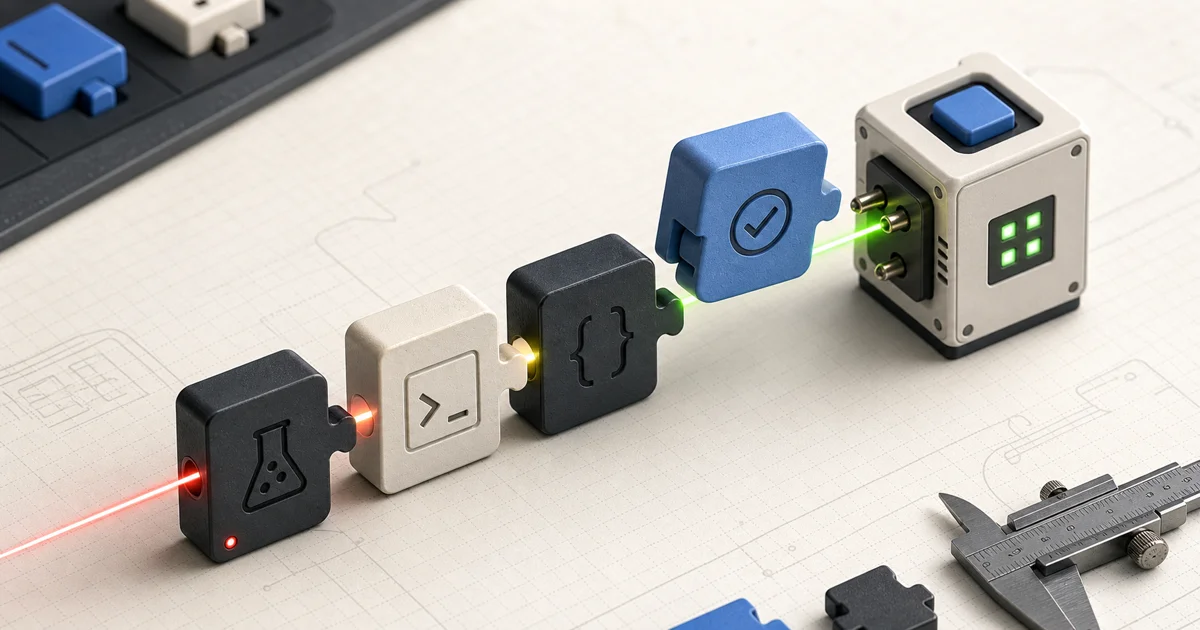
A skill is a packaged, reusable capability you give an agent — a named bundle of instructions (and optionally supporting files) that the agent loads when a task calls for it. Instead of typing out "here's how I want you to do X" every time, you write it once, name it, and the agent pulls it in when relevant. Conceptually a skill has three parts:
- A trigger — when the skill should apply. This is the description the agent matches against the task ("use this when writing tests," "use this when reviewing a migration"). A sharp trigger is what makes the right skill fire at the right moment.
- Instructions — the actual workflow: the steps, conventions, guardrails, and definition of done you want the agent to follow.
- Supporting files (optional) — templates, scripts, reference docs, or examples the skill can use so the agent doesn't have to re-derive them.
That's the whole idea: a skill turns a good one-off prompt into a durable, named, version-controllable asset.
Why skills beat re-prompting
Re-prompting is fine for throwaway tasks. For anything you do more than twice, skills win on three axes:
- Reuse. Write the workflow once; invoke it forever. The cost of getting the prompt right is paid a single time.
- Consistency. Every run follows the same conventions and the same definition of done, so output quality stops depending on whether you remembered to include the right instructions today.
- Versioning and sharing. A skill is an artifact. You can check it into a repo, review changes to it, and share it across a team so everyone's agent works the same way. That's the difference between tribal prompt-craft and a maintainable workflow.
There's a cost angle too: a tight skill that scopes the agent's context and steps tends to be cheaper to run than an open-ended "figure it out" prompt that invites the model to wander.
Worked example: a test-driven development skill
Test-driven development is a perfect fit for a skill because TDD is a workflow — a tight loop with a fixed order of operations. The June 2026 write-up that put "agent skill for TDD" on the map captures the core insight: agents are good at writing code but undisciplined about when, and a skill can impose the red-green-refactor discipline that keeps them honest. Here's how to structure one.
Defining the trigger
The trigger tells the agent when to reach for TDD. Make it specific so it fires on the right tasks and not on, say, a one-line typo fix:
Use this skill when implementing new functionality or fixing a bug that should be covered by tests. Do not use it for pure refactors with existing coverage or trivial edits.
Writing the workflow
The instructions encode the discipline. The order matters — the whole point is that the test comes first:
- Clarify the behavior. Restate the expected behavior as one or more concrete cases before writing any code.
- Write a failing test (red). Add a test for the new behavior. Run it. Confirm it fails for the right reason — a test that passes immediately, or fails because of a typo, proves nothing.
- Write the minimum code to pass (green). Implement the smallest change that makes the test pass. No speculative extras.
- Refactor. With the test as a safety net, clean up the implementation and the test. Re-run to confirm still green.
- Stop and report. Summarize what was tested, what passed, and what (if anything) is still uncovered.
Wiring tests as the loop
The skill should make the test command the agent's source of truth: run the tests, read the actual output, and let pass/fail — not the agent's confidence — decide whether to proceed. This is the single most important guardrail. Left to its own devices an agent will happily declare success; binding each step to a real test run keeps it grounded in observable behavior rather than self-assessment. Include the project's test command in the skill (or its supporting files) so the agent never has to guess how to run the suite.
Designing agent-optimized CLIs and tools
Skills are only as good as the tools they call. Hugging Face's write-up on designing the hf CLI for agents makes a point worth internalizing: a CLI built for a human and a CLI built for an agent are not the same product. Agents benefit from predictable, scriptable commands, clear and machine-readable output, explicit flags over interactive prompts, and stable behavior that doesn't depend on a TTY. If you're exposing your own tooling to agents, design the interface the way you'd design an API — for a consumer that reads output literally and can't intuit your intent. The better your tools behave under automation, the simpler and more reliable your skills can be.
Local vs cloud: where to run skill-driven agents
Skills are portable; the environment they run in is a separate choice. Running locally keeps everything on your machine — fast feedback, full control, no per-environment setup. The trade-off is that long agent sessions tie up your laptop and your environment is yours alone. The cloud-dev approach pitched by projects like Boxes.dev — running Claude Code and Codex off localhost — trades some of that immediacy for consistent, reproducible, shareable environments and the ability to run agents without pinning a local machine. Neither is universally right: prototype locally where the loop is tightest, and move to cloud environments when you need reproducibility, isolation, or to run agents at a scale your laptop can't.
Frequently asked questions
What is an agent skill?
A skill is a packaged, reusable capability for an AI agent: a named bundle of a trigger (when to use it), instructions (the workflow to follow), and optional supporting files (templates, scripts, references). It lets you define a workflow once and have the agent load it on demand, instead of re-explaining it in every prompt.
How do I write a Claude Code skill?
Define three things: a sharp trigger describing exactly when the skill should apply, clear step-by-step instructions encoding your workflow and definition of done, and any supporting files the workflow needs. Keep the scope tight, make the steps verifiable (e.g., tied to a command's output), and store it where it can be versioned and shared.
How is a skill different from a prompt?
A prompt is a one-off instruction you retype each time; a skill is a durable, named artifact the agent reuses. Skills give you consistency (same workflow every run), versioning (you can review and share changes), and usually lower cost (tighter scope), which one-off prompts can't.
Can agents do TDD reliably?
Yes, when the workflow is enforced. Agents are strong at writing code but undisciplined about sequencing, so the reliability comes from the skill: write the failing test first, bind each step to the real test command's output, and let pass/fail — not the agent's confidence — drive progress. With that loop in place, red-green-refactor becomes dependable rather than aspirational.
Takeaways for Clawvard readers
The shift from re-prompting to skills is the same maturity step software itself once took: from copy-pasting snippets to writing reusable functions. A skill captures your best workflow once — trigger, instructions, supporting files — so every run is consistent, shareable, and cheaper than an open-ended prompt. Start with one workflow you repeat constantly (TDD is an ideal first candidate), encode it as a skill, bind its steps to real tool output, and you'll feel the difference immediately. Then design your tooling to be agent-friendly, and choose local or cloud environments based on whether you need speed or reproducibility.
For more practical agent-engineering guides, follow Clawvard — and try Clawvard to build and run your own skill-driven workflows.
Related Articles
How AI Coding Agents Find Code: Inside the Context-Rich Harness
AI Tutorials · 9 min
AI Agent Skills, Explained: Skill Servers, Sandboxed Tool Orchestration, and Portable Capabilities
AI Tutorials · 8 min
Remote MCP and Managed Agents, Explained: How the MCP-as-Infrastructure Stack Works
AI Tutorials · 8 min