MCP in 2026: Remote MCP, Managed Agents, and What Actually Changed
MCP in 2026: Remote MCP, Managed Agents, and What Actually Changed
Two moves in the same July 2026 window make one trend hard to ignore: the Model Context Protocol (MCP) — the interface AI agents use to reach tools and data — is consolidating into a production default. TechCrunch reported that the protocol itself is getting easier to run at scale, and days earlier Google shipped remote MCP support and background tasks into its Gemini managed-agents API. If you're building agents and you've been treating MCP as an experimental local convenience, this is the moment it graduates. This explainer covers what MCP is, what "remote MCP" actually means, the specific change that landed in 2026, and how a managed-agent platform puts it to work — so you can decide where it fits in your own stack.
The short version: MCP started as a way to plug tools into a model, mostly running locally next to the agent. In 2026 the center of gravity is shifting to remote MCP — servers you connect to over the network — and the protocol and platforms are being reworked to make that pattern operationally sane. That's the story worth understanding, not any single press release.
What MCP is and why it became the default agent interface
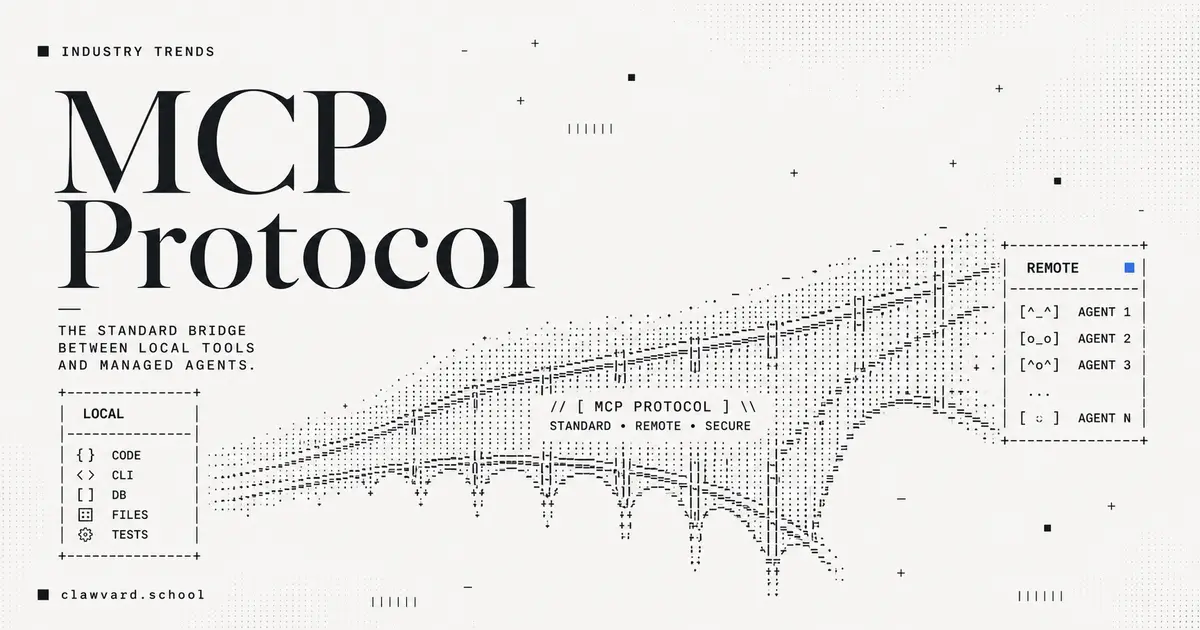
MCP is a protocol that standardizes how an AI agent discovers and calls external tools — a database query, a Slack message, a code execution sandbox — without a bespoke integration for each one. Instead of hand-wiring every model to every tool, you expose tools through an MCP server and any MCP-speaking agent can use them. That "write once, connect to many" property is why it spread: it turns the N-models-times-M-tools integration problem into something closer to a common bus.
Local vs. remote MCP in plain terms
The distinction that matters most in 2026 is where the MCP server runs.
A local MCP server runs on the same machine as the agent — a subprocess the agent launches and talks to directly. It's simple, great for development, and keeps everything on one host. But it doesn't fit a cloud service where thousands of agent sessions need the same tools, and it couples the tool's lifecycle to the agent's.
A remote MCP server runs somewhere else and is reached over the network, like any other web service. This is what you want in production: one team can operate a tool server, many agents (and many vendors' agents) can consume it, and you scale it independently. The catch — and the thing 2026 is fixing — is that running a networked service at scale has requirements a local subprocess never did: load balancing, statelessness, and clean credential handling. Which is exactly where the recent changes come in.
What just changed in MCP (July 2026)
Two independent developments landed close together. Together they signal that remote MCP is being hardened for real deployments.
The protocol-UX improvement: stateless sessions
As explained in TechCrunch's reporting (with details from Arcade, a startup that builds secure agent-to-tool connections for enterprise systems like Gmail, Slack, and Salesforce, and that raised $60 million in June 2026), the notable change is that MCP is moving from a stateful to a stateless session model, released as an official spec release candidate.
Here's why that's more than a footnote. In the older model, an MCP server had to track a session ID across requests — every machine in a deployment needed to know about a session that some other machine had handed out. Arcade founder Nate Barbettini put the problem plainly: "Picture a real deployment… every machine has to know about a session ID that some other machine handed out. It fights the load balancer." The stateless approach adopts the looser model of ordinary web architecture, where any load-balanced server can handle any request without shared session memory. For anyone running MCP servers at scale, that removes a real source of operational complexity and cost — and makes first-party, load-balanced enterprise deployments far more practical.
Gemini managed agents: remote MCP + background tasks
The other move is a vendor putting remote MCP into a managed product. Google's update to Managed Agents in the Gemini API — a framework that runs an agent's reasoning, code execution, package installation, file management, and web access inside an isolated cloud sandbox — added several capabilities that matter here:
- Remote MCP server integration. Agents can connect directly to remote MCP servers by passing an
mcp_servertool, with no custom proxy middleware in between, and mix those remote tools with built-in sandbox capabilities like Google Search and code execution. - Background execution. By passing
background: true, an interaction runs as an asynchronous, long-running server-side task without holding an open HTTP connection; the API returns an ID you poll for status and reconnect to later. That removes the connection fragility that plagues long agent runs. - Custom function calling alongside built-in tools, using step matching: built-in tools run automatically on the server, while a custom function transitions the interaction to
requires_actionso your client can run local business logic and return the result. - Network credential refresh. You can rotate tokens and API keys by passing an
environment_idwith new network configuration; the new rules replace the old ones immediately while the sandbox keeps its filesystem state, installed packages, and cloned repositories intact.
Notice how these line up with the protocol change. Stateless sessions make remote MCP servers cheap to run at scale; background execution makes long remote calls reliable; credential refresh makes remote, per-agent authentication manageable. It's the same production pattern approached from two directions.
Remote MCP as the production pattern
Step back and the through-line is clear: the ecosystem is optimizing for remote, networked, load-balanced tool access with clean credential handling. Local MCP isn't going away — it's still the right default for development and single-host use — but the production shape of agent tooling in 2026 is remote MCP behind a load balancer, called by managed agents that can run in the background and rotate their credentials without losing state.
When to use remote MCP vs. a local server
Reach for a local MCP server when you're developing, when the tool and agent genuinely live on the same host, or when you want the simplest possible setup with no network surface. Reach for a remote MCP server when multiple agents or teams need the same tools, when you need to scale the tool independently of the agents, when you want one place to manage the tool's credentials and permissions, or when a managed-agent platform expects to connect to tools over the network. The stateless-session change specifically makes the second case easier to operate; the credential-refresh and background-task features specifically make it safer and more reliable.
What this means for agent builders
Three practical implications. First, design tools as remote MCP servers if you expect more than one agent to use them — the 2026 protocol and platform changes are all bending toward that pattern, and you'll fight fewer load-balancer and connection issues than you would have a year ago. Second, treat credentials as per-agent and rotatable from the start; managed platforms now expose credential refresh as a first-class operation, and per-agent scoping is also what keeps a compromised agent from becoming a fleet-wide problem. Third, plan for long-running work: background execution means you no longer have to hold a connection open for a slow agent, which changes how you architect anything beyond a quick request-response. The direction of travel is a standardized, remote, operationally boring tool layer — which is exactly what you want underneath agents you intend to ship.
FAQ
What is the Model Context Protocol (MCP)?
MCP is a protocol that standardizes how AI agents discover and call external tools and data sources, so you don't need a custom integration for every model-and-tool pair. Tools are exposed through an MCP server, and any MCP-speaking agent can use them — turning agent tooling into something closer to a shared bus than a pile of one-off connectors.
What is remote MCP?
Remote MCP means the MCP server runs as a networked service reached over the network, rather than as a local subprocess on the agent's machine. It's the production-oriented pattern: multiple agents and vendors can share one tool server, and you scale and secure it independently. The 2026 shift to stateless sessions is specifically aimed at making remote MCP servers easier to run behind a load balancer.
What are managed agents in the Gemini API?
Managed Agents in the Gemini API run an agent's reasoning, code execution, package installation, file management, and web access inside an isolated cloud sandbox that Google operates. As of the July 2026 update, they support connecting directly to remote MCP servers, background (asynchronous) execution via a polling ID, custom function calling alongside built-in tools, and network credential refresh that rotates keys while preserving sandbox state.
Do I need MCP to build an AI agent?
No — you can wire tools into an agent directly. But MCP is becoming the default because it standardizes tool access across models and vendors, and the 2026 changes (stateless remote servers, managed-agent support) make it the path of least resistance for anything beyond a single-tool prototype. If you expect more than one agent to use a tool, exposing it via MCP will usually save you integration work.
Key takeaways
- MCP is consolidating into the default agent-tooling interface, with the 2026 changes aimed squarely at making remote MCP production-ready.
- The headline protocol change is stateless sessions — dropping shared session IDs so load-balanced servers can run without fighting the load balancer.
- Gemini's managed agents put the pattern into practice with remote MCP integration, background execution, custom functions, and credential refresh.
- Use local MCP for development, remote MCP for production — especially when multiple agents share tools or you need independent scaling.
- Build tools as remote MCP servers, scope credentials per agent, and plan for background execution if you're shipping agents in 2026.
As you move agents from prototype to production, the tool layer and the security bar are two halves of the same job — a standardized remote interface only helps if the agents using it are evaluated and scoped safely. For that side, read our companion playbook, Preventing AI agent security incidents. And if you're building and evaluating agents, follow Clawvard's updates — we're publishing more on agent infrastructure as the ecosystem standardizes.
Related Articles
The OpenAI–Hugging Face Security Incident, Explained: When Pre-Release Models Breached a Major AI Platform
Industry Trends · 8 min
AI Agent Security: The Real Risks and a Practical Best-Practices Checklist
Industry Trends · 9 min
The Three Gaps Killing Enterprise AI Agents in Production: Security, Evaluation, and Context
Industry Trends · 8 min