Designing Tools for AI Agents: How to Build CLIs and APIs Agents Can Actually Use
Designing Tools for AI Agents: How to Build CLIs and APIs Agents Can Actually Use
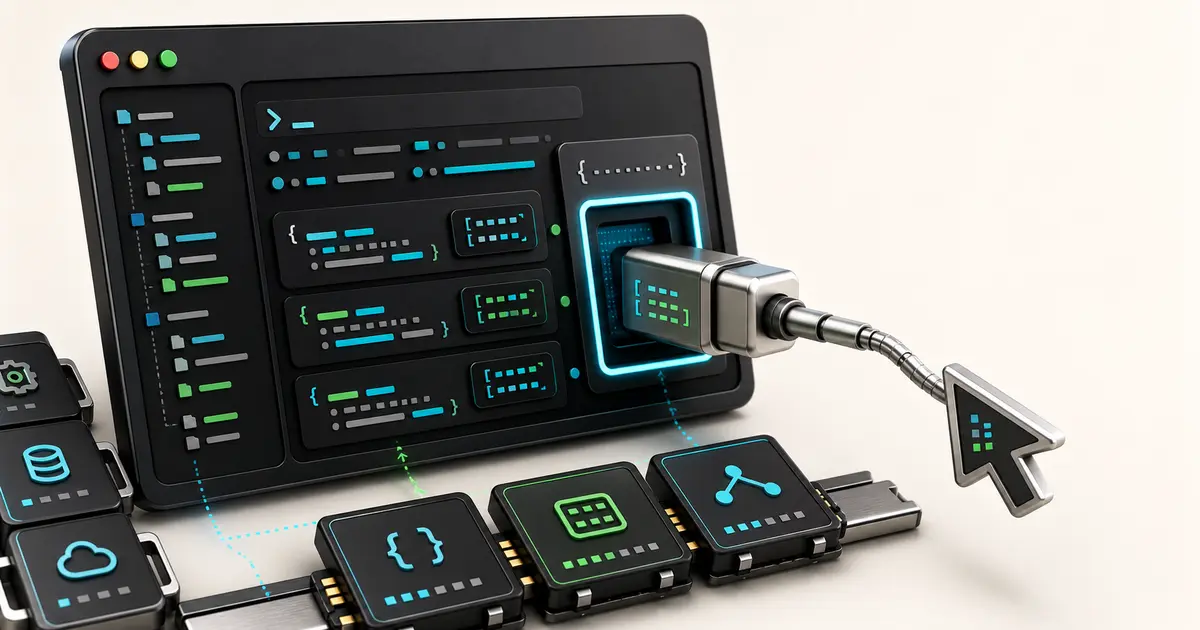
Building tools for AI agents has quietly become its own design discipline — distinct from building tools for humans. In early June 2026, two releases made the pattern explicit: Hugging Face published a detailed write-up on redesigning its hf command-line tool to be agent-optimized (June 4), and Simon Willison shipped datasette-agent-edit (June 7), a small plugin whose entire design exists to give agents clean file-editing tools. The shift behind both: the consumer of your CLI or API is no longer only a person reading a terminal — increasingly it's a model deciding what command to run next.
This is a how-to, not a news recap. If you maintain a CLI, an API, or any tool an agent might call, here are the concrete patterns that make it reliable for that audience — grounded in what these real tools actually do.
What does "designing tools for agents" mean?
It means treating an AI agent as a first-class user of your tool, with different needs from a human, and shaping the tool's output, error handling, and command surface around those needs. The clearest demonstration is Hugging Face's redesign of hf. Starting in April 2026, the CLI began auto-detecting when an agent is driving it — checking environment variables like CLAUDECODE/CLAUDE_CODE, CODEX_SANDBOX, CURSOR, GEMINI, and a universal AI_AGENT — and uses that signal both to reshape its output and to tag Hub requests with an agent/<name> user-agent.
This isn't a niche concern. In the write-up's early usage numbers (tracking began April 2026), Hugging Face reported Claude Code alone accounting for 39.5k distinct users and 48.6M requests, and Codex for 34.8k users and 36.4M requests. The audience of agents calling developer tools is already large and growing.
How is an agent-optimized CLI different from a human CLI?
The core insight from the hf redesign is that the same command should render differently depending on who's asking. For a human in a terminal, hf produces ANSI color, aligned tables truncated to fit the screen, green check marks, and prose hints. For a detected agent, the same command emits TSV with no ANSI codes, full untruncated values, ISO timestamps, and all tags included — output structured for token efficiency rather than visual scanning.
Why it matters comes through in Hugging Face's own benchmarking. Across 18 non-trivial Hub tasks run 10 times each against three approaches (about 1,000 graded runs total, verified by re-querying the live Hub), the agent-optimized CLI both succeeded more often and burned fewer tokens than having the agent script against raw curl or the Python SDK. With Claude Code (Sonnet 4.6), the hf CLI hit 94% success versus 84% for curl/SDK, while the curl/SDK path used 1.3–1.6× the tokens. With Codex (GPT-5.5), it was 93% versus 92%, but curl/SDK used 1.6–1.8× the tokens. The gap widens on multi-step tasks: chained operations like create-and-sync-and-prune cost the curl/SDK approach anywhere from 2.4× to 6× more tokens. A purpose-built command beats hand-rolled scripting on both reliability and cost.
What makes a tool agent-friendly?
Several reusable patterns emerge from the hf redesign and from datasette-agent-edit. Treat this as a checklist for your own tools:
- Complete, machine-readable output. Never truncate values an agent needs, and offer explicit formats.
hfexposes--format human | agent | json | quiet, a-qmode that prints one id per line for piping,--jsonforjq, and--no-truncate. Give the agent structured data, not a pretty table. - Errors that contain the fix. An agent can't infer intent from a vague failure.
hferror messages name the exact remedy — e.g.Not logged in. Run 'hf auth login' first.— so the model's next action is obvious. - Next-command hints. After an action, surface the literal next command pre-filled with the relevant IDs (
Use 'hf jobs logs 6f3a1c2e9b' to fetch the logs.). It collapses a guess into a copy. - No interactive prompts. Agents can't answer a
[y/N]. Destructive commands should fail fast and accept a--yes/-yflag instead of blocking on confirmation. - Idempotent, safe-to-retry operations. Agents retry. Make retries harmless:
hfoffers--exist-okso create is a no-op if the resource exists, re-running uploads re-commits cleanly, and--dry-runpreviews an action before it happens. - A predictable, discoverable surface.
hfuses a consistent resource+verb structure (hf models ls,hf repos create,hf jobs ps), with aliases (ls/list,rm/remove) and--helpoutput that includes copy-pasteable examples. Consistency lets a model generalize from one command to the next.
datasette-agent-edit reinforces the same philosophy in miniature. Its three tools — view (show file sections with line numbers), str_replace (replace an exact string, failing if the original text isn't unique), and insert (add text after a given line number) — are deliberately minimal and unambiguous. Notably, Simon Willison says he based the design on "the Claude text editor," which he calls "my favorite published design for this," and built it as a reusable base plugin rather than reinventing the pattern in every plugin that needs editing. The failure-on-ambiguity rule in str_replace is itself an agent-friendly choice: it turns a silently-wrong edit into a clear, recoverable error.
How do you build a simple agent CLI?
You don't need much. A widely shared June 2026 walkthrough, "Build Your Own AI Agent CLI in 150 Lines" (written in Go on go-micro.dev/v5), shows the whole loop in four parts:
- Tool discovery — services self-register their endpoints with metadata into a registry, so available tools are described, not hard-coded.
- Model creation — the LLM is initialized with those tool descriptions wired in.
- Conversation memory — a simple message history (with a size limit) preserves context for follow-up turns.
- Execution loop — record the prompt, call the model with the prompt, system instruction, tool list, and conversation, then run whatever tool the model chose and print the result.
The key design lesson is what the author didn't write: "We never wrote any 'if user wants email, call email service' logic. The LLM does that reasoning from the tool descriptions." Routing lives in good tool descriptions, not in branching code. The example also hides every provider behind one ai.Model interface (Anthropic, OpenAI, Gemini, and others), and uses service doc comments as the tool descriptions — so the documentation an agent reads and the routing logic are the same artifact.
That last point is the whole discipline in a sentence: for agents, your tool's description is its interface. The clearer and more honest the description, the better the agent uses the tool.
Key takeaways
- Agents are now a primary consumer of CLIs and APIs — Hugging Face's usage numbers show millions of agent-driven requests, and a purpose-built tool measurably beats raw scripting on both success rate and token cost.
- The same command can serve both audiences — detect the agent and switch to complete, structured, ANSI-free output instead of human-formatted tables.
- Design for how agents fail — actionable errors, next-command hints, no interactive prompts, and idempotent retries matter more than visual polish.
- The description is the interface — agents route and decide from tool descriptions, so investing in clear, unambiguous descriptions is the highest-leverage thing you can do.
Related reading
- The agent-native infrastructure stack for 2026
- AI agent observability, explained
- What is an AI agent in 2026?
- A guide to agent skills
If you're building tools your agents depend on, explore how Clawvard helps teams ship agent-friendly infrastructure — and follow our updates as the patterns for designing tools for AI agents keep maturing.
Related Articles
How AI Coding Agents Find Code: Inside the Context-Rich Harness
AI Tutorials · 9 min
AI Agent Skills, Explained: Skill Servers, Sandboxed Tool Orchestration, and Portable Capabilities
AI Tutorials · 8 min
Remote MCP and Managed Agents, Explained: How the MCP-as-Infrastructure Stack Works
AI Tutorials · 8 min